Total Pageviews

Tuesday, 7 February 2017

Evaluation Questions

Evaluation

Question 1

In what ways does your media product use, develop or challenge forms and conventions of real media products?

Question 2

How effective is the combination of your main product and ancillary texts?

Question 3

What have learned from your audience feedback?

Question 4

How did you use media technologies in the construction and research, planning and evaluation stages?

Tuesday, 17 January 2017

Making my Poster

Poster


This is my final poster for my music video. It displays the Artist and the name of the song with 'Liv' the featuring artist. My poster consists of three separate images that I took. The three show graffiti and Zara (one of my actresses). The poster is directly linked to my Music video as it consists of the graffiti theme and the urban look that I wanted throughout the music video coursework.

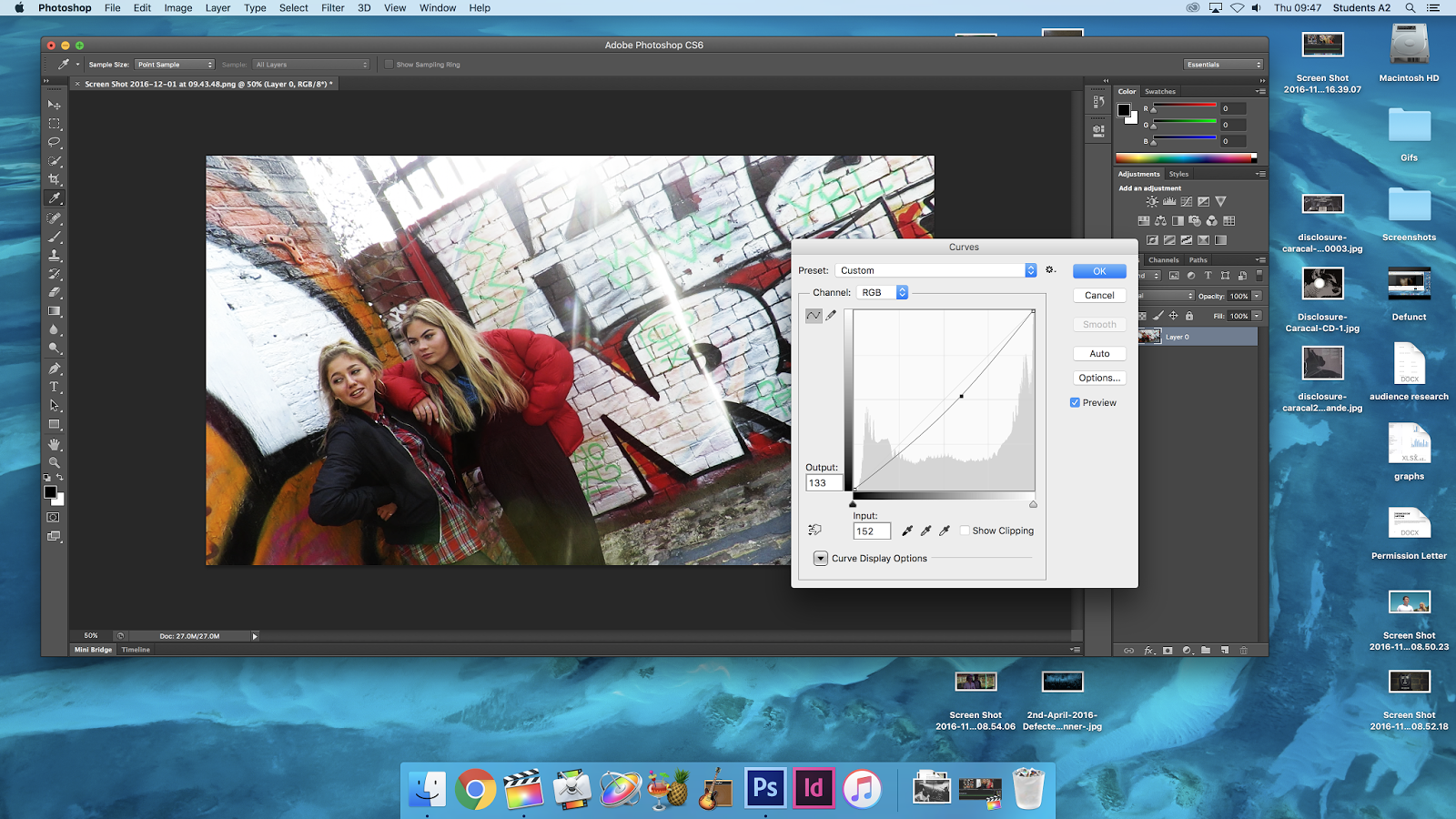
The screenshot below shows one of my images in Photoshop that I edited to be more eye capturing and appealing to my audience. I edited each of the three images in the exact same way with the same contrast, brightness and highlights so that they were the same and maintain the sense of identity.

Final Product: Music Video


Friday, 2 December 2016

My Digipack

Creating my Digipack


This image above is my digipacks front cover. I chose it for my front cover because it is a really good shot of my actresses from my video. I love the graffiti in the background behind them because it is suits the theme of my video. I really like the red theme that is portrayed from the front cover of my digipack. The red really stands out on the coat, shirt and on the wall. It is a solid and passionate colour to use for a front cover that is bold and stands out.

In this image below you will see there was a bag on the floor which was in the shot. I photoshopped out the bag so that it wasn't there on the final front cover. 

In this screenshot below it shows the starting stages of making my digipack. It is the standard CD size 4.7 x 4.7inches. After editing each of the images that I wanted on by digipack I imported them into Indesign, fitted them to the appropriate size, added texts and polished each of the images to the best they can possibly be.


The screenshot below is of the inside of my digipack. It is some graffiti that I shot in some of my footage. I doubled it up with a mirror effect and I thought it would be a great background for the white text on the grey wall background.


Here is the editing of my back cover. It was a picture of some graffiti too however I photoshopped the 'No More' graffiti on there so that it fits with my digipack and is a bit more original.
I also Added on the barcode for purchasing, the QR reader for a link to the CD website and finally the copy right acts that are associated with the song and the digipack images.

Tuesday, 22 November 2016

Editing has started

My Editing

I started my editing on Final Cut Pro where I imported all my footage in and then added my song. I download the song from iTunes and then simply imported it in too. You can see my song in the green box in the picture above.

Here you can see my editing whereby I dragged my clip into the appropriate place in the song to make up the music video. You can see some overlapping of where clips crossover to make the change much sharper and quicker. 


To the right you can see clips of Izzy my actress. I used these clips with the simple brick wall to do my lip syncing. I used the singing from the video then cut out the sound of her really singing then placed it in with the lyrics of the song. It was hard to get right but due to her good pronunciation it made it slightly easier.